About
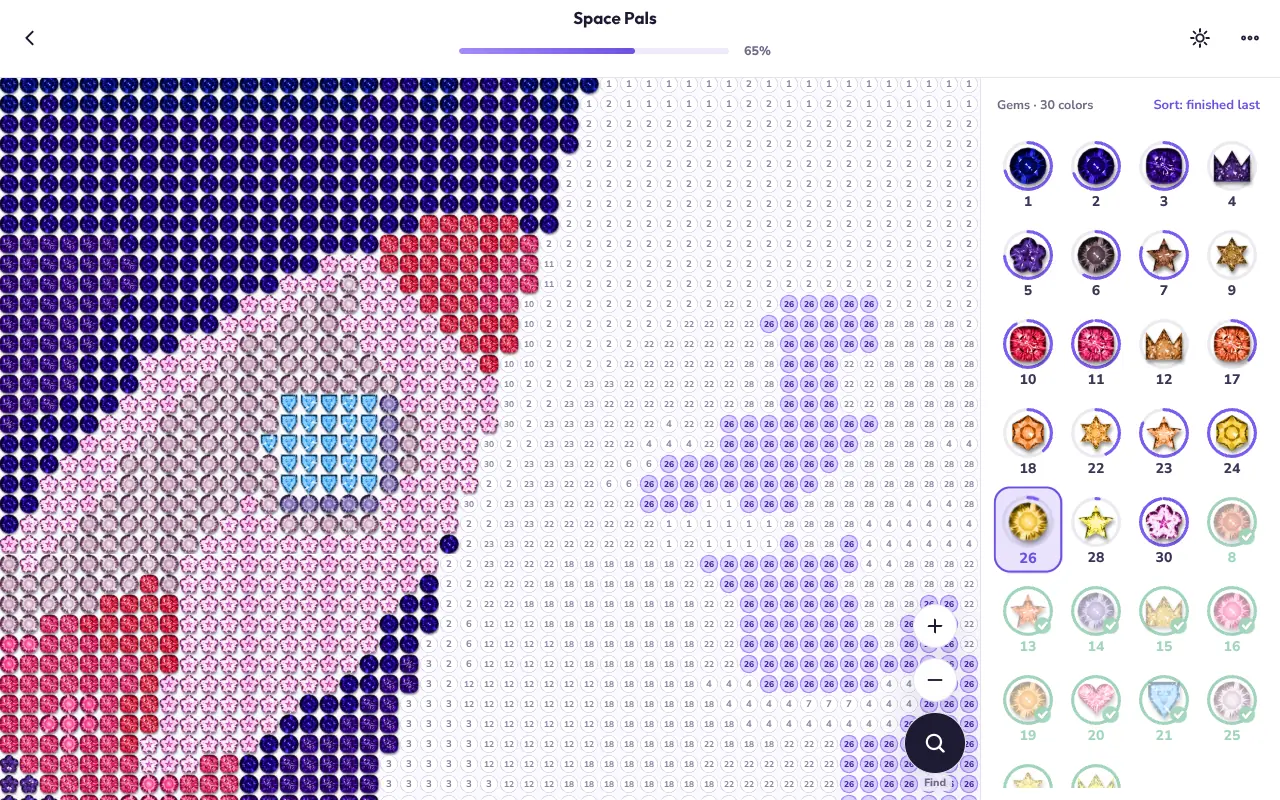
Every picture is a grid of numbered cells. Pick a gem from the tray and set it on every cell that wears its number, and colour by colour the mosaic fills in — sapphires and rubies cut as hearts, stars, flowers and moons — until the whole picture catches the light. There is nothing to lose and nowhere to be.
The library holds 131 original pictures, from kittens and farm animals to safari, ocean and seasonal scenes, each marked Easy, Medium or Hard, and a new Today's Gem waits every day. Create turns any photo into a picture of your own, or grows a new mandala; a finished picture can be recoloured in Free Color, replayed gem by gem as a time-lapse, or saved as an image.
Watch it play
What you do
- 131 original pictures in nine collections, each Easy, Medium or Hard.
- Today's Gem: a new picture every day, with the week's finished days marked.
- Fancy gem cuts — hearts, stars, flowers, moons — so similar colours are easy to tell apart, or classic round stones.
- Find, Spotlight and bigger brushes for the big pictures.
- Create: turn a photo into a gem picture, or grow a brand-new mandala.
- Free Color, a time-lapse of every gem you placed (and a video of it), and Save image.
- The Gem Book of birthstones, special finishes and the badges you earn.
- Light and Night themes, a velvet backing, and a left-handed layout.
How it plays
- Touch: tap a gem in the tray, then tap or drag across its cells; pinch and drag to zoom and move around the picture.
- Mouse: click a gem, then click or drag over its cells; the wheel zooms, and right-drag or Space-drag pans.
- Keyboard: 1–9 (two digits for 10 and up) picks a gem, [ and ] or the arrows step through them, F finds the next cell, S turns on Spotlight, 0 zooms to fit and ? lists every shortcut.
- On the title screen, Enter presses the highlighted button.
New in v1.1.0
- A title screen: Continue takes you straight back to the picture you left off, with Library, Today's Gem, How to play and Settings beside it.
- New players start with Begin, which opens the first-gem tutorial just as before.
- The version and who made the game are on the title screen, the About card and Credits & licenses.
- On an iPad or iPhone the app now fits the visible screen, and is measured again when you rotate or Safari's toolbars come and go.