About
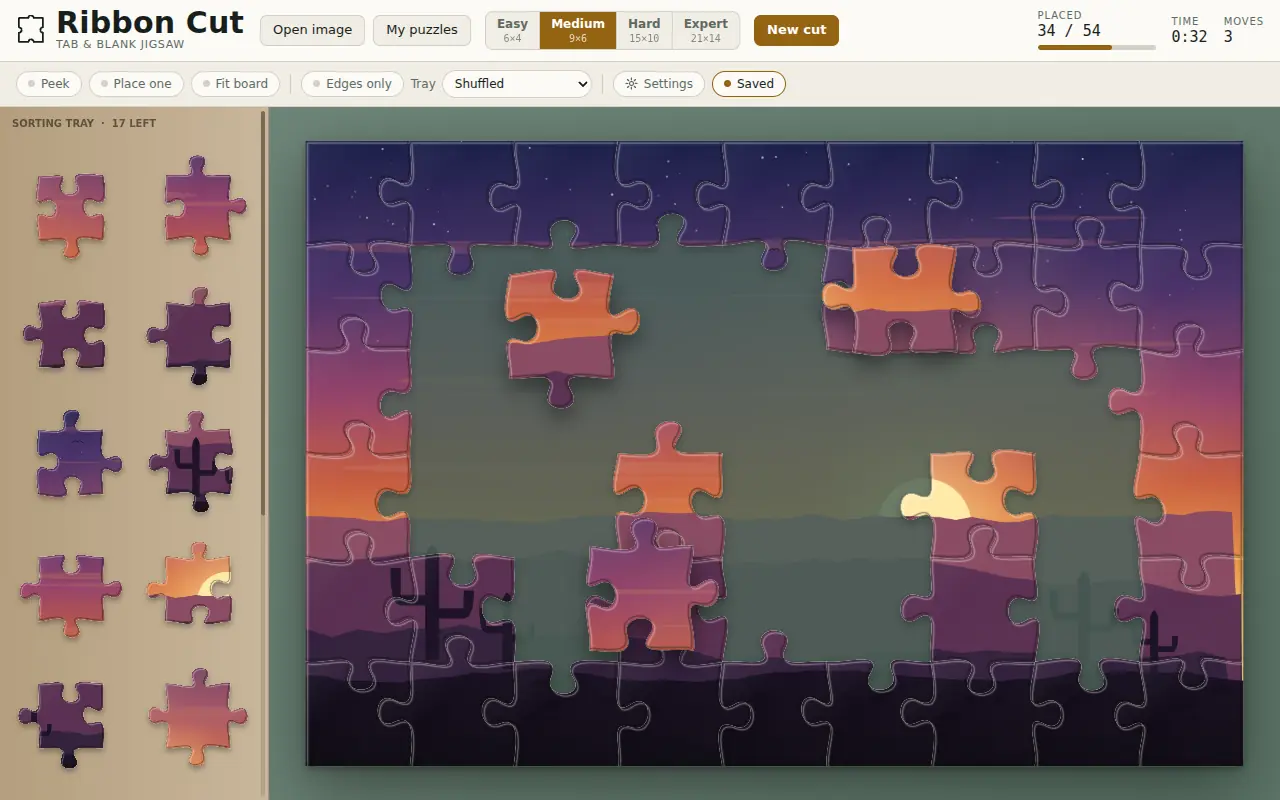
Ribbon Cut cuts a picture the way a die cuts card: real tabs and real blanks, every edge different, so a piece only seats in the one place it belongs. Give it a photo from your device, or start on the built-in sample, Sonoran Dusk, which is painted in code.
It is a quiet thing to sit with. Pieces move on green felt with the sound of card, seat with a wooden click and a music-box note, a chime marks every quarter, and a slow generative score plays underneath that is never the same twice. Sort the tray, peek at the picture, or leave the faint guide image under the board — and when you put a puzzle down, it waits exactly where you left it.
Watch it play
What you do
- Four cuts of any picture: Easy 6×4, Medium 9×6, Hard 15×10 and Expert 21×14.
- Sort the tray shuffled, edges first or grouped by colour, or show edge pieces only.
- Peek at the picture, have one piece placed for you, or outline where a dragged piece goes.
- Turn on rotation for a harder cut: pieces arrive turned and only seat once they are upright.
- Keep every puzzle in My puzzles with its photo, time and moves, and move them all as a code.
How it plays
- Drag a piece from the tray onto the board; it snaps when it is close enough. With rotation on, tap a piece or press R to turn it.
- Scroll or pinch to zoom; two fingers or a middle-drag pans the board. It plays on an iPad or a phone.
- P peeks, H places one, E shows edges only, G the guide image, T the target marker, L locks the board and F fits it to the screen.
New in v1.4.0
- Export save gives one code holding every puzzle in My puzzles — the photo, every piece where you left it, the time and the moves — and your settings.
- Import save takes that code on another device, from Settings or from the title screen, and restarts the game with it.
- A code that isn’t one, is cut off or belongs to another game is turned down in plain words, and nothing on the device is touched.
- Copy says Copied only when it worked; the code can always be selected by hand.